
Read the result as a conditional statement
A calculator result is not just a number. It is a number produced from a stated input condition, unit basis, method, and boundary. Change the airflow reference, clear dimension, pressure definition, product curve, or operating state and the same displayed quantity can mean something different.
Before using the result, restate it in one sentence: “At this airflow and geometry, using this method and boundary, the calculator reports this quantity.” If that sentence cannot be written from the page, the result is missing context.
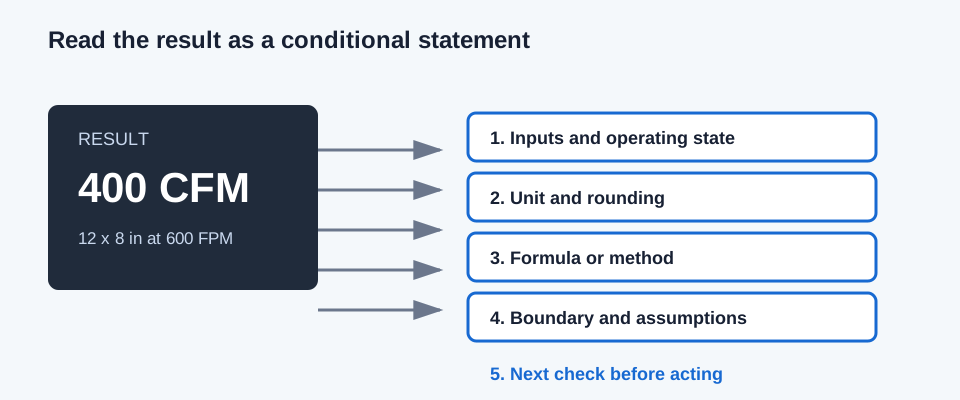
| Check | Question | Example failure if skipped |
|---|---|---|
| Inputs and state | Were the fields entered for the same operating point? | A catalog pressure from one airflow is paired with CFM from another. |
| Unit and rounding | Are dimensions, pressure, flow, and displayed precision clear? | A value in in. w.g./100 ft is read as total system pressure. |
| Method | Is this velocity, friction, interpolation, measurement, or a screen? | An equal-area conversion is described as equal-friction sizing. |
| Boundary | What is included, excluded, or measured between the taps? | TESP is treated as fan total pressure without checking the taps. |
| Next check | What evidence is still required? | A theoretical diameter is ordered without checking nominal size or clearance. |
Check the inputs and units first
Start at the input fields, not at the bold result. Confirm clear inside dimensions, airflow direction, pressure basis, temperature or density state, material or roughness, and the selected mode. For tables and product curves, confirm the product reference, coordinate basis, and interpolation range.
Then check the display unit and rounding. A result rounded to one decimal place can still be calculated from higher precision internally. Keep the unrounded substitution in a note when a later comparison depends on a small margin.
- Use CFM and FPM only with a clear area in square feet, or use the displayed inch conversion explicitly.
- Keep total pressure, static pressure, velocity pressure, and TESP identified by their measurement boundary.
- Treat “selected limit” or “project criterion” as an entered criterion, not as a universal code or comfort limit.
- Treat “no result,” “unsupported,” or missing curve data as a result state, not as zero.
Independent example: 400 CFM through 12 x 8 inches
The airflow checker example provides 400 CFM through a 12 by 8 inch rectangular section. Independently, clear area is 12 x 8 / 144 = 0.6666667 ft². Average velocity is Q / A = 400 / 0.6666667 = 600.0 FPM. The page may display 600 FPM after rounding; the relationship is exact for these stated inputs.
That result means the section has the stated average velocity at 400 CFM. It does not mean that a fan will deliver 400 CFM, that every point in the section measures 600 FPM, or that the section has acceptable pressure loss or noise.
A = W x H / 144 = 12 x 8 / 144 = 0.6667 ft²; V = Q / A = 400 / 0.6667 = 600 FPM
| Item | Value | Meaning |
|---|---|---|
| Known airflow | 400.0 CFM | The stated flow through the section |
| Clear dimensions | 12 x 8 in | Inside air passage, not outside sheet dimensions |
| Clear area | 0.6667 ft² | 12 x 8 divided by 144 |
| Calculated average velocity | 600.0 FPM | 400 divided by 0.6667; rounded for display |
Decide what the result allows you to do
Use a geometry result to compare area, velocity, or shape. Use a sizing result to compare a theoretical or entered candidate against the active sizing criteria. Use a pressure result to compare compatible losses and available margin. Use a measurement result to describe the observed operating condition and its measurement method.
The next action should follow the unresolved constraint. A size that fits the area target may still need a route pressure check. A pressure margin may still need a fan curve. A measured airflow may still need a traverse quality check, balancing adjustment, or repeat measurement under the required operating condition.
FAQs
Can I copy the bold result into a schedule by itself? No. Keep the inputs, units, method, operating state, boundary, and rounding with the result.
Does a precise number mean the calculation is accurate in the field? No. Display precision describes arithmetic output. Product data, measurement setup, installation condition, and model applicability determine whether the result represents the real system.
What does an unsupported or withheld result mean? It means the entered evidence does not support a numeric answer under that method. It is not permission to enter zero or extend a curve beyond its documented range.
Conclusion and limits
A result is ready to share when another person can reproduce the inputs, identify the method and boundary, understand the rounding, and see the next check. Keep the input snapshot beside the output rather than copying the final number alone.
These pages provide preliminary calculations and task explanations. They do not turn a precise display into construction approval, code compliance, professional certification, product certification, or a substitute for current project evidence.